




Product visualization for food and beverage brands
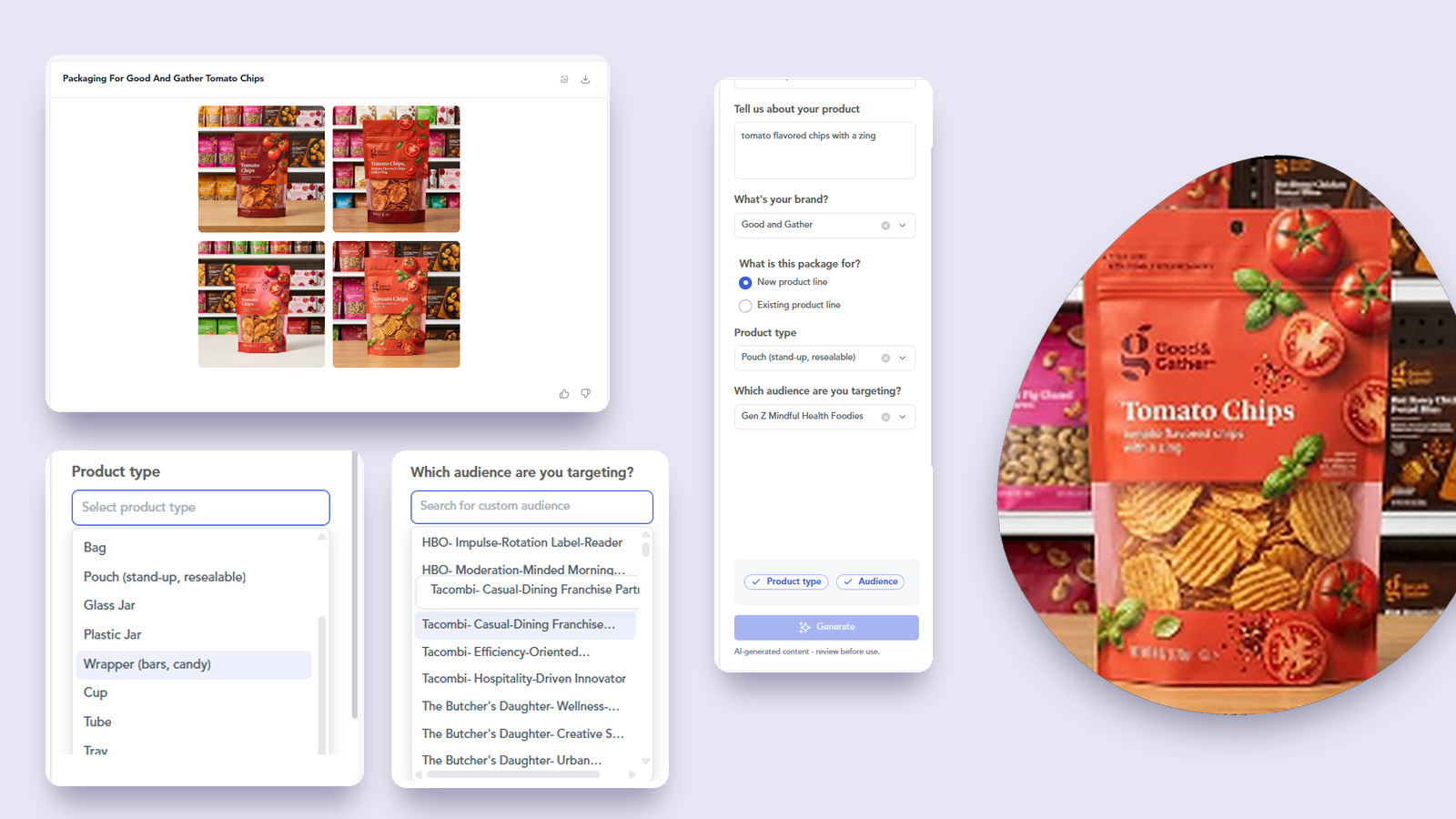
Describe the product in a line, pick the pack format and the audience, and the Product Visualizer renders it as finished imagery on a real shelf. Concepts and campaign visuals before anything goes into production.
Trusted by 80% of the world’s leading food & beverage brands · since 2018




Plant-based creamers are the fastest-growing add-on in independent coffee chains
Gen Z conversation around electrolyte water is up 20.2% over the past year, so the interest is there. The shelf is the problem. Propel appears on more than half of the top electrolyte water listings and almost every one leads with zero sugar or immune support, so the renders take the claim your pack can actually own.
What product visualization gives your team
Four things you get from every render, in the time it takes to write a brief.
Imagery before production
See the pack, the format and the shelf presence while the product is still a sentence in a deck.
Rendered for a named audience
Pick the audience cluster first, so the visual is built for the buyer you are chasing rather than for general appeal.
Claims chosen on demand data
The claim on the front of pack comes from live category signal, not from whatever the category already says.
Minutes, not a studio booking
Change the format, the claim or the audience and render again, without a photographer, a set or a physical sample.
Powered by Tastewise’s real-time food data
Most AI imagery tools are photo enhancers. They retouch a dish you have already made, or render a bottle that looks good and means nothing. Neither knows what sits on the shelf beside your pack, which claims are saturated in your category, or what your audience actually buys.
The deepest food-data layer in the industry.
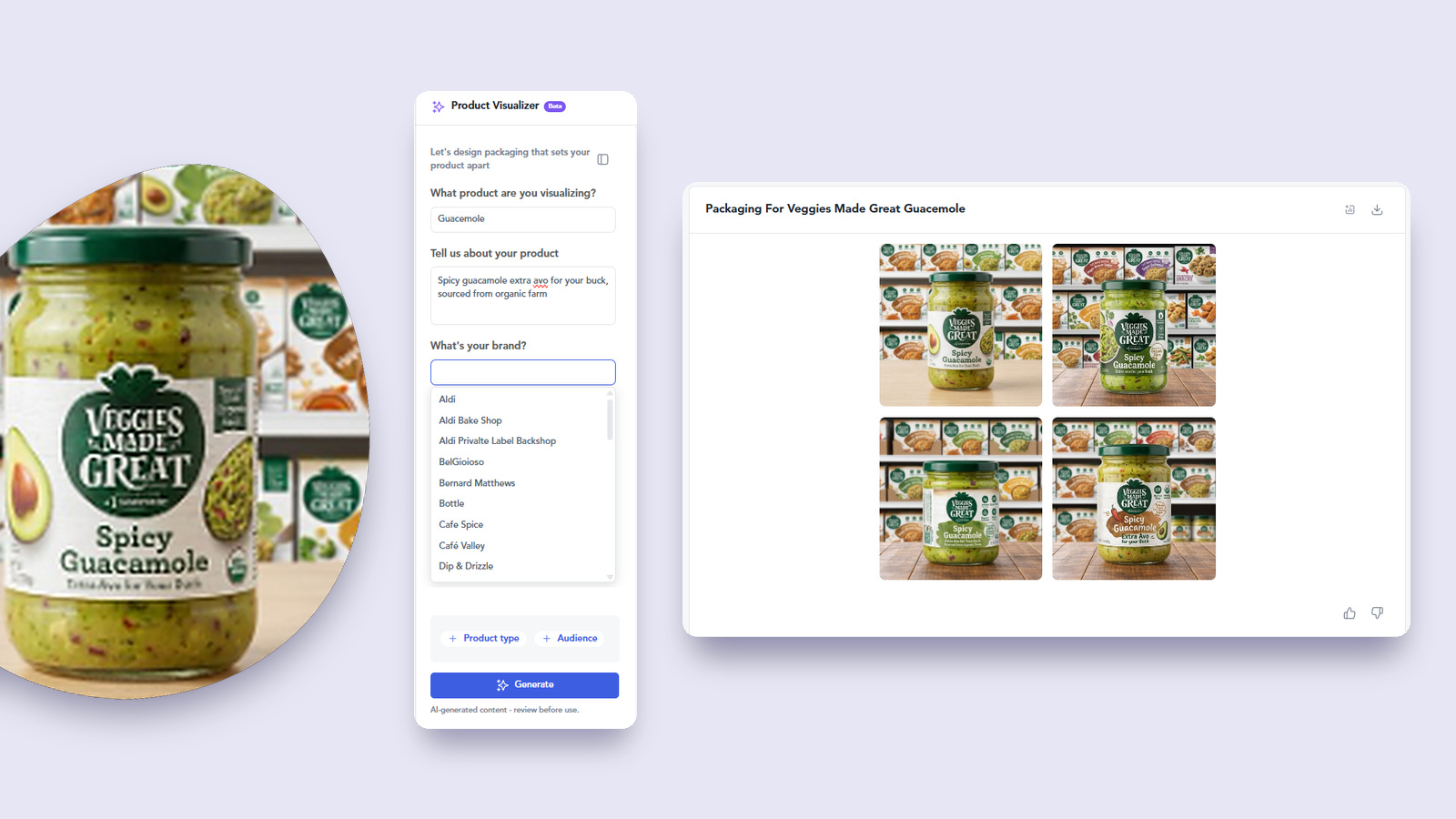
How product visualization works, in three steps
From a one-line product idea to finished on-shelf imagery, on one screen.
Describe the product
One line on what it is, then pick the brand, flag it as a new or existing line, and choose the pack format from bag, pouch, glass jar, plastic jar, wrapper, cup, tube or tray.
Pick the audience
Choose who the pack is for, from broad segments through to the custom audience clusters built for your brand.
Get the imagery
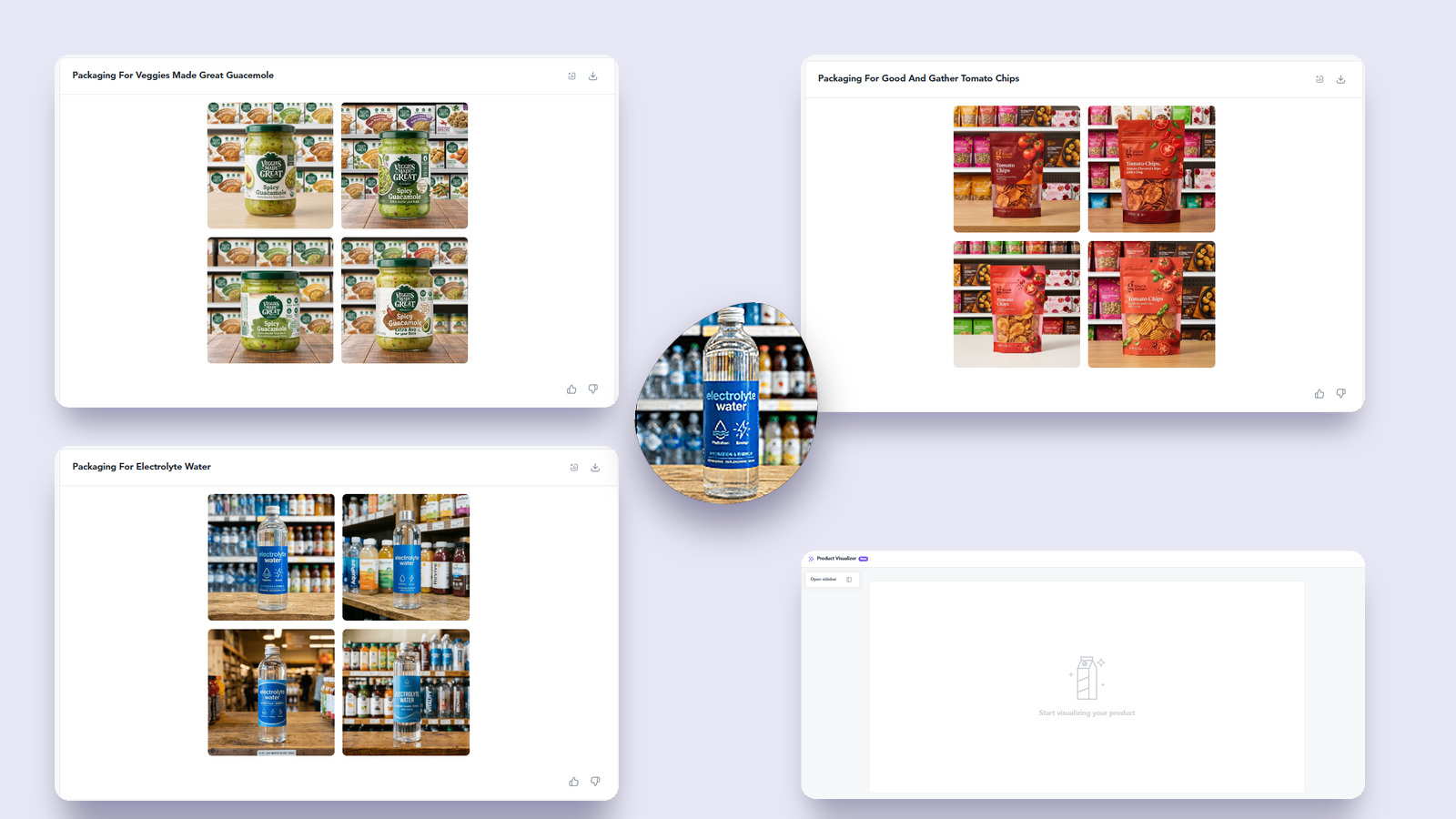
Four rendered routes come back in a real retail setting, so you can compare shelf presence rather than imagine it.
Product visualization versus a generic AI image generator
A generic AI image generator
- Retouches a product you have already made
- Prompt aesthetics, judged on whether it looks nice
- A pack floating on a white background
- An image you cannot explain in a stage gate
- Same slide deck for every operator
With Tastewise product visualization
- Renders a product that does not exist yet
- A brief built from live category and audience signal
- The pack in a real retail setting, next to the competition
- Claim space checked before the front of pack is written
- A render with the demand evidence attached
How brands shaping modern F&B decisions use Tastewise
From describing the idea to showing it
Selling a concept off a paragraph and a mood board.
Four finished pack routes on shelf, with the audience read attached.
From a stage gate on trust to a stage gate on evidence
Concepts reviewed as text, so the loudest opinion wins the room.
Every concept reviewed as imagery, against live category signal.
From waiting on a shoot to rendering the same afternoon
Campaign visuals blocked until there is a physical sample to photograph.
Campaign and pitch visuals rendered while the concept is still moving.
More AI agents for food & beverage teams
Product visualization is one part of the Tastewise platform. Every tool runs on the same validated F&B data, from consumer insight and concept work through to operator-level sell-in.
Marketing Agent
Build data-backed marketing strategies grounded in real consumer behavior and trend signals.
TradeShow Intelligence
Track competitor launches, innovation themes and buyer signals from industry events.
LTO Innovator
Design limited-time offers optimised for menu impact and consumer excitement.
Brand Navigator
Map brand portfolio health, competitive positioning and white space at a glance.
Blog Post Creator
Produce SEO-ready food editorial content backed by real trend and consumer signals.
Product Visualizer
Generate AI-rendered product imagery for concepts and campaigns before production.
Foodtok Growth Signals
Capture viral TikTok food moments and translate creator trends into activation ideas.
Recipe Innovation
Develop trend-grounded recipe concepts tuned for operator and retail channel fit.
Synthetic Survey Agent
Runs panels on-demand to validate concepts with target audiences.
Ready to see this agent in action?
80% of leading food brands use Tastewise to turn signal into revenue. Book a session and get the AI Sales Story Creator Agent built around your product and your target accounts.
FAQ
What is product visualization?
Product visualization is the practice of rendering a product concept as finished imagery before it is manufactured, so teams can see the pack, the format and the shelf presence while the idea is still a brief. In Tastewise it runs through the Product Visualizer. You describe the product in a line, choose the brand, the pack format and the target audience, and the platform returns rendered pack routes in a real retail setting, with the category signal behind the claim on the front of pack.
How is this different from an ai product image generator or a prompt in ChatGPT?
A general image model optimises for a picture that looks good. It has no view of the shelf your pack lands on, no read on which claims are saturated in your category, and no data on the audience you are chasing. The Product Visualizer takes the same one-line prompt and builds the brief behind it from the Tastewise data layer, spanning 1T+ structured data points across 38 live markets, so the render carries the demand evidence rather than a guess dressed up as a design.
Is this ai food photography, or something else?
Something else. Most tools sold as ai food photography enhance a photo of a dish you have already cooked, which is useful for a menu listing and irrelevant to a product that does not exist yet. Product visualization goes the other way. There is nothing to photograph, so the pack, the label and the retail setting are all generated from the concept brief.
Which pack formats can I render?
Bag, pouch in stand-up resealable form, glass jar, plastic jar, wrapper for bars and candy, cup, tube and tray, plus glass bottle. Product visualization covers the formats a food and beverage team actually briefs, which is why the format is a field rather than something you have to describe in a prompt.
Which audiences can I render against?
Broad segments such as Gen Z or mindful health shoppers, and the custom audience clusters built for your brand. The custom clusters are the ones teams use most, because they describe a specific buying behaviour rather than a demographic, which is what makes product visualization usable in a line review rather than only in a brainstorm.
Can I use the renders in a campaign, or only internally?
Both, and the split matters. Teams use product visualization internally for concept reviews and stage gates, and externally for pitch decks, sell-in meetings and early campaign visuals ahead of a shoot. Anything that goes to consumers should still go through your own brand and legal review, the same as any other pre-production asset.
Is product visualization enterprise ready?
Yes. Every run is traceable, every output citable and every decision auditable, which is the posture our customers’ AI committees have already cleared. Tastewise has been in market since 2018 and product visualization sits inside the same platform as the rest of the toolset, so there is no separate tool to approve.